> ## Documentation Index
> Fetch the complete documentation index at: https://docs.straddle.com/llms.txt
> Use this file to discover all available pages before exploring further.
# Zapier integration for Straddle webhooks
> Receive Straddle webhook events in Zapier to automate workflows, trigger notifications, and connect ACH payment activity to thousands of other apps.
 This guide walks you through integrating **Zapier** with **Straddle** so that you can trigger automated workflows (Zaps) whenever events occur in Straddle—no code required.
## Prerequisites
Before you begin, make sure you have:
* A **[Straddle account](https://dashboard.straddle.com/)** with access to the **Webhooks** section in the dashboard
* A **[Zapier account](https://zapier.com/sign-up)**
You will need at least **Developer** level to see the **Webhooks** section in the Straddle dashboard.
## Implementation Steps
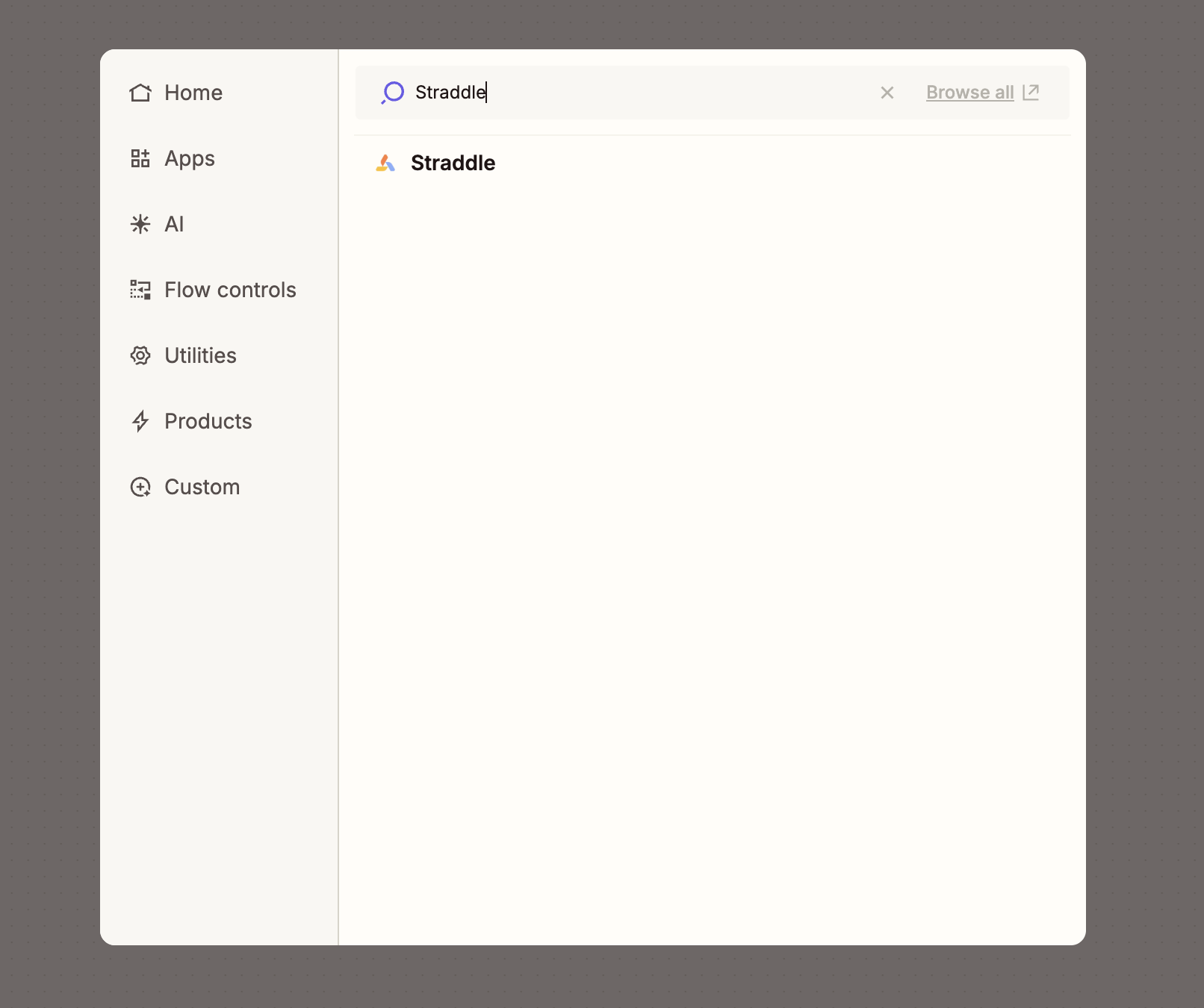
In Zapier, click **Create → Zaps**. Search for **“Straddle”** in the Trigger app list and select it.
This guide walks you through integrating **Zapier** with **Straddle** so that you can trigger automated workflows (Zaps) whenever events occur in Straddle—no code required.
## Prerequisites
Before you begin, make sure you have:
* A **[Straddle account](https://dashboard.straddle.com/)** with access to the **Webhooks** section in the dashboard
* A **[Zapier account](https://zapier.com/sign-up)**
You will need at least **Developer** level to see the **Webhooks** section in the Straddle dashboard.
## Implementation Steps
In Zapier, click **Create → Zaps**. Search for **“Straddle”** in the Trigger app list and select it.
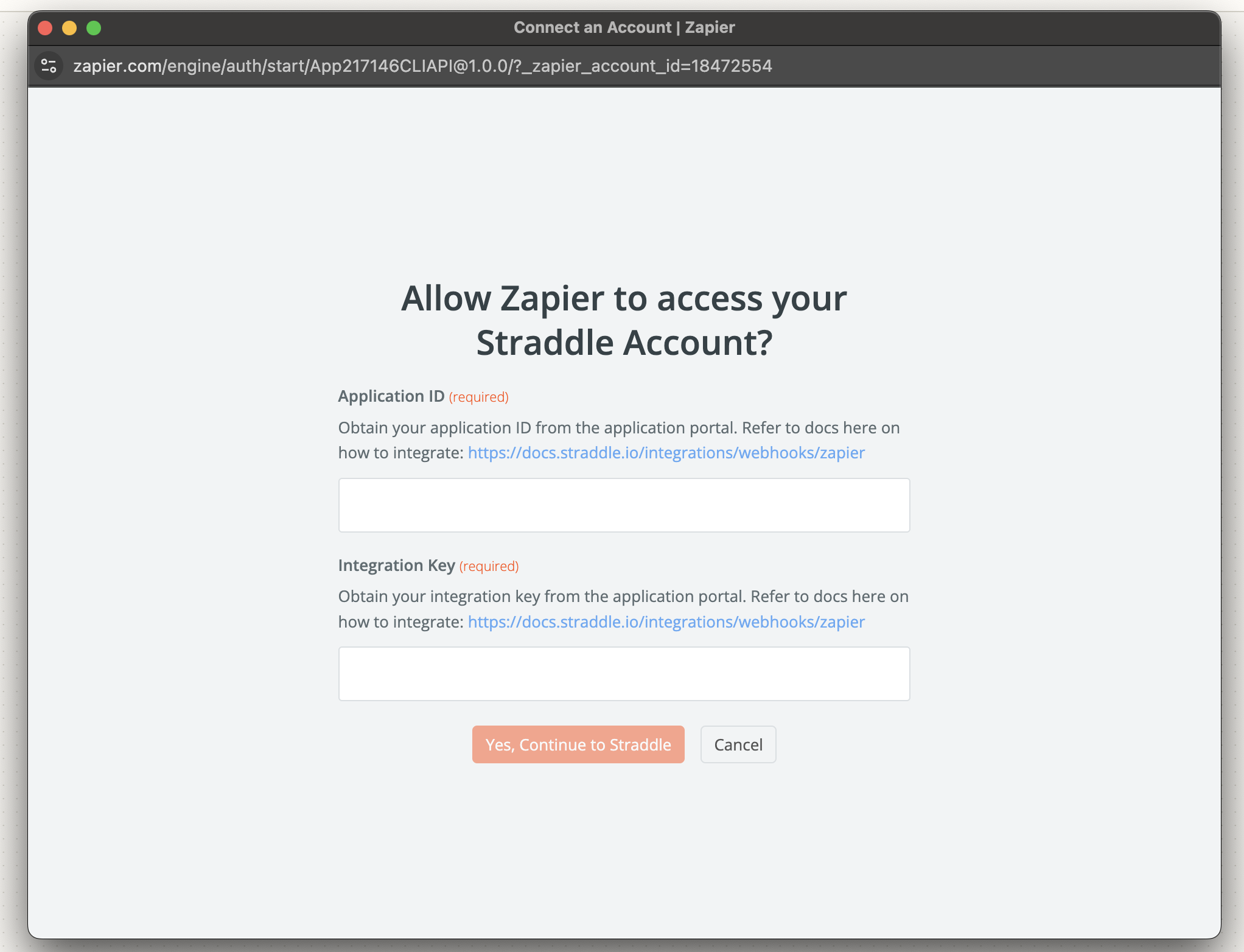
 Zapier will prompt you to **“Choose account” → “+ Connect a new account.”**
Locate your **ApplicationId** and **IntegrationKey** in **Straddle Dashboard → Webhooks**, by clicking the **Get
Zapier Integration Details** button.
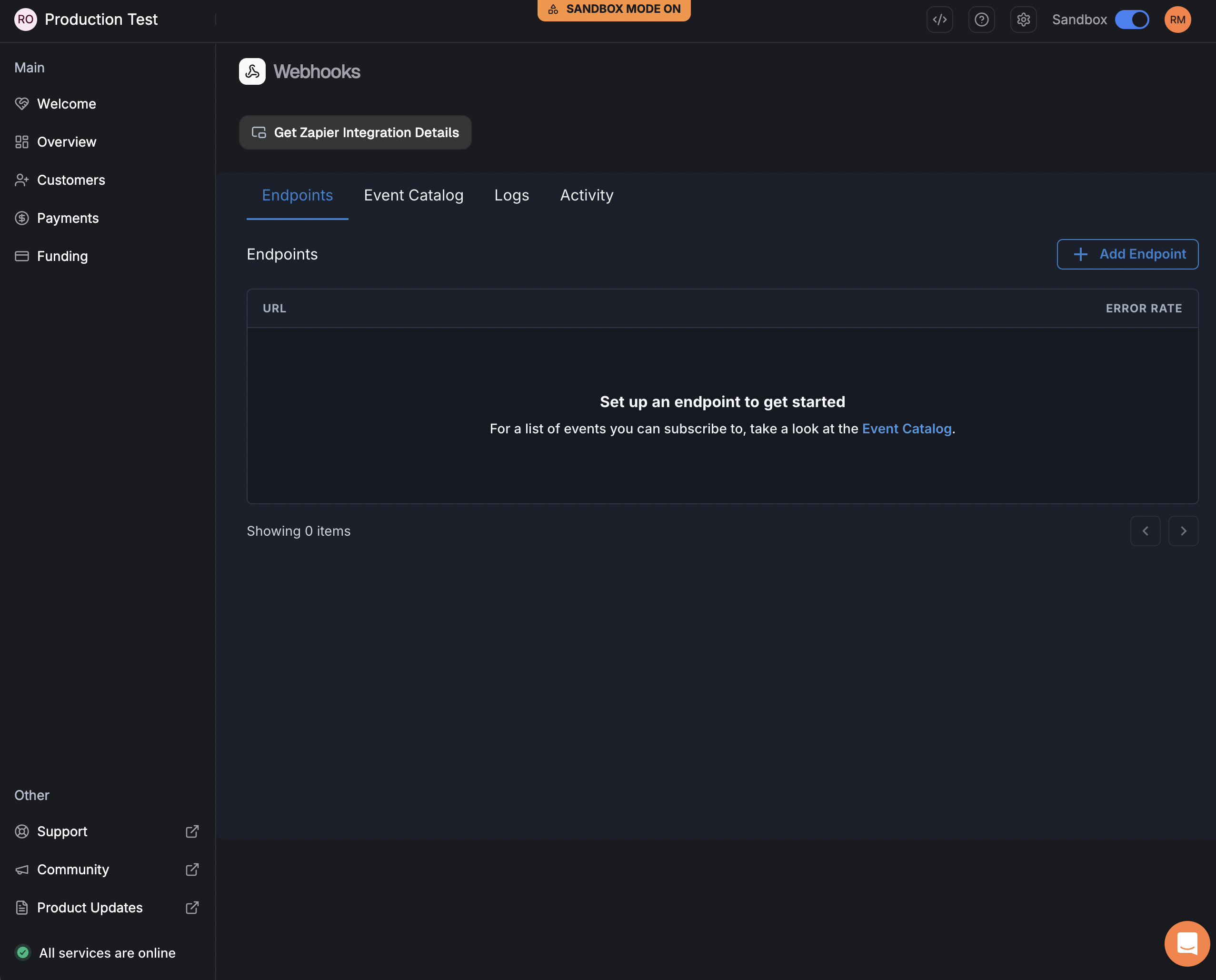
These credentials are generated **once**—store them securely. If you rotate the key later, remember to update
every Zap that uses it.
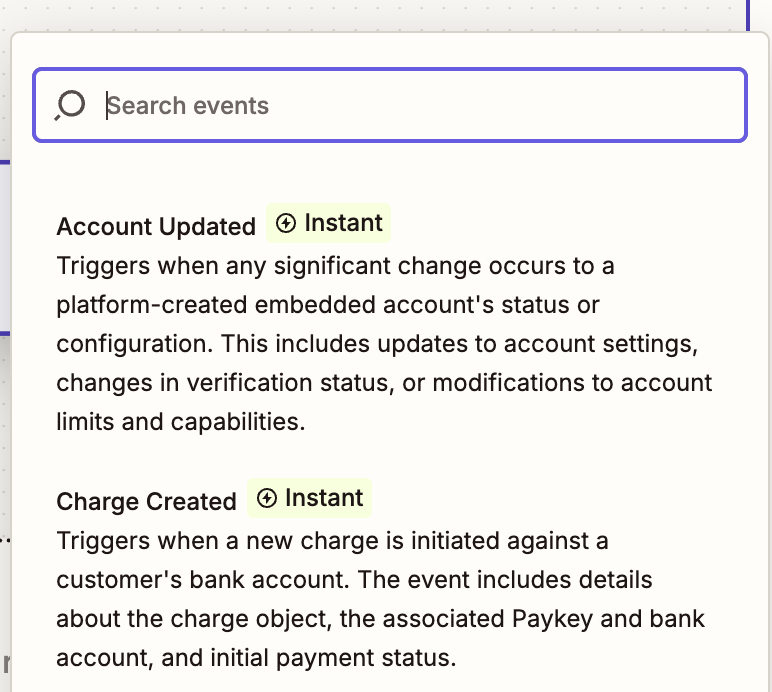
After authentication, Zapier will list the **available events** (e.g., *New Account*, *Charge Updated*).
Choose the one that best matches your workflow.
 Zapier will fetch a recent sample event from Straddle so you can inspect the payload.
Once you’re happy, click **Continue** and add **Action steps**—send a Slack message, create a record in
Airtable, or kick off any of Zapier’s 6,000+ integrations.
## Best Practices & Security Considerations
1. **Credential Safety** — Store your **IntegrationKey** in a secure secret-management system, this is sensitive information.
2. **Key Rotation** — If you regenerate the **IntegrationKey** in Straddle, update each created Zap to avoid broken triggers.
3. **Retries & Idempotency** — Zapier automatically retries failed webhooks, but make sure your downstream systems can gracefully handle duplicate payloads.
4. **Logging** — Enable logging inside your Zap (via “Zap History”) to simplify debugging.
## Troubleshooting
| Issue | Likely Cause | Resolution |
| ------------------------------------- | ------------------------------------------------- | ----------------------------------------------------------------------------------- |
| **“401 Unauthorized”** in Zapier test | Incorrect **ApplicationId** or **IntegrationKey** | Re-copy the credentials from **Straddle Dashboard → Webhooks** |
| No events appear during “Find Data” | The chosen event hasn’t occurred yet | Trigger the event in a test environment, or toggle **“Skip Test”** and finish setup |
| Zap stops firing after key rotation | Old **IntegrationKey** still used | Update the key in **Zapier → My Apps → Straddle** |
| Duplicate downstream records | Zap retries combined with non-idempotent Action | Deduplicate using a unique webhook `id` field or add a Filter step |
For a deep dive into Straddle’s event schema, see the **[Webhooks API reference](/webhooks/overview/events)**.
***
That’s it! By following these steps, you’ll have Straddle piping real-time events straight into Zapier—unlocking limitless automation possibilities across your entire stack.
Zapier will fetch a recent sample event from Straddle so you can inspect the payload.
Once you’re happy, click **Continue** and add **Action steps**—send a Slack message, create a record in
Airtable, or kick off any of Zapier’s 6,000+ integrations.
## Best Practices & Security Considerations
1. **Credential Safety** — Store your **IntegrationKey** in a secure secret-management system, this is sensitive information.
2. **Key Rotation** — If you regenerate the **IntegrationKey** in Straddle, update each created Zap to avoid broken triggers.
3. **Retries & Idempotency** — Zapier automatically retries failed webhooks, but make sure your downstream systems can gracefully handle duplicate payloads.
4. **Logging** — Enable logging inside your Zap (via “Zap History”) to simplify debugging.
## Troubleshooting
| Issue | Likely Cause | Resolution |
| ------------------------------------- | ------------------------------------------------- | ----------------------------------------------------------------------------------- |
| **“401 Unauthorized”** in Zapier test | Incorrect **ApplicationId** or **IntegrationKey** | Re-copy the credentials from **Straddle Dashboard → Webhooks** |
| No events appear during “Find Data” | The chosen event hasn’t occurred yet | Trigger the event in a test environment, or toggle **“Skip Test”** and finish setup |
| Zap stops firing after key rotation | Old **IntegrationKey** still used | Update the key in **Zapier → My Apps → Straddle** |
| Duplicate downstream records | Zap retries combined with non-idempotent Action | Deduplicate using a unique webhook `id` field or add a Filter step |
For a deep dive into Straddle’s event schema, see the **[Webhooks API reference](/webhooks/overview/events)**.
***
That’s it! By following these steps, you’ll have Straddle piping real-time events straight into Zapier—unlocking limitless automation possibilities across your entire stack.